The Problem with Cloud Transcription
When you use conventional transcription tools like Otter.ai, Rev, Google Cloud Speech-to-Text, or Fireflies.ai, your raw audio recording is uploaded over the internet to their remote servers. This introduces major privacy, security, and compliance liabilities:
Cloud Storage Risks
Uploaded files may linger indefinitely in third-party cloud storage buckets vulnerable to leaks or unauthorized internal access.
Compliance Violations
Transmitting patient, client, or legal data to unvetted cloud API endpoints often breaches HIPAA, GDPR, or strict enterprise NDAs.
AI Training Exposure
Many cloud services reserve rights in their terms of service to train future foundation models on user-submitted audio content.
How No-Upload Transcription Works
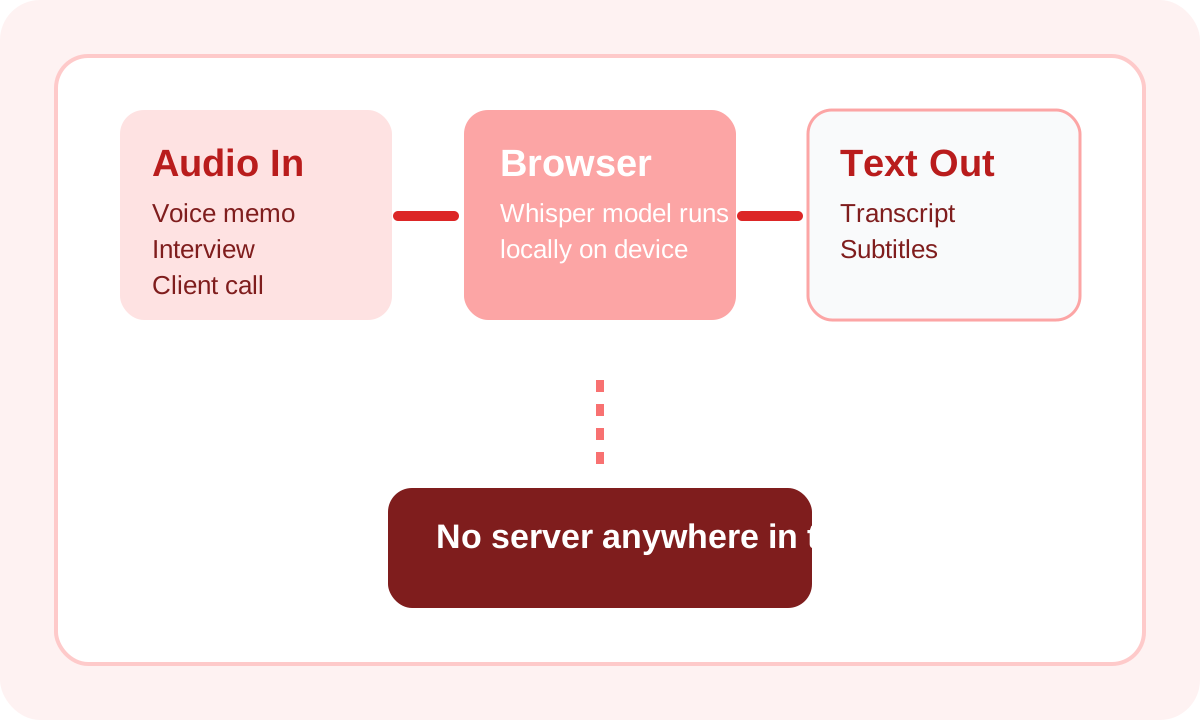
Whisper Web revolutionizes speech recognition architecture by running the AI inference engine entirely client-side. Here is how your data is protected:
Your Audio File
Stored safely on your hard drive
In-Browser Whisper AI
Local WebAssembly / WebGPU processing
Text Output
Displayed in browser & ready to copy
Start Private Transcription Now
No Upload • No Signup • No Server
Use the first-screen tool above to keep audio and transcript in one same-page private workflow. Export promptly if the recording matters because local tab state is not persisted across accidental closes.
Who Needs No-Upload Transcription?
Healthcare Professionals
Medical dictations and patient notes require strict HIPAA compliance. Because Whisper Web processes audio entirely on-device, zero protected health information (PHI) is ever transmitted over the network.
Legal & Financial Advisors
Attorneys and financial planners handling confidential depositions or client consultations can transcribe recordings without violating attorney-client privilege or client non-disclosure agreements.
Journalists & Whistleblowers
Investigative reporters managing sensitive whistleblower recordings or off-the-record interviews can transcribe audio safely offline without leaving digital server breadcrumbs.
🔐 Anyone Who Values Digital Privacy
Whether it is personal journal voice memos or private creative brainstorming sessions, your spoken thoughts should remain under your control — not stored in corporate data vaults.
Privacy Comparison
| Tool | Processing Location | Data Leaves Device? | Open Source? | HIPAA Compliant? |
|---|---|---|---|---|
| Whisper Web ⭐ | Your Browser | No | Yes | Yes (local) |
| Otter.ai | Cloud | Yes | No | No |
| Rev.com | Human Review | Yes | No | No |
| Descript | Cloud | Yes | No | No |
| Apple Dictation | On-Device | No | No | — |
| Fireflies.ai | Cloud | Yes | No | No |
Security & Privacy FAQ
You can verify this yourself in two seconds: load this webpage, open your browser's Developer Tools (F12) Network tab, and run a transcription. You will see 0 outbound HTTP requests containing audio data. Alternatively, turn off your Wi-Fi or unplug your Ethernet cable — transcription continues to work flawlessly offline.
Yes! On your first visit, the AI model (~77 MB) is stored in your browser's local cache. Afterwards, you can load the page and transcribe audio files anywhere without an active internet connection — ideal for travel or secure air-gapped environments.
Yes. Closed-source cloud services act as black boxes where you must trust that audio files are deleted after processing. Open-source browser applications allow security auditors to inspect the client-side code directly and confirm that no telemetry or audio payload endpoints exist.
The transcript is tied to the current browser session, so closing the tab before exporting will discard it. Copy or download sensitive results right away.
It helps because speech to text no upload keeps PHI off third-party transcription servers. Teams still need to validate device controls and their broader compliance process, but local-only processing removes a major exposure point.
Related Transcription Tools
Transcribe Safely Without Uploading
100% local, on-device AI transcription in your web browser.
Try Private Transcription →