What Is Browser-Based Audio Transcription?
Traditionally, converting audio to text meant one of three things: installing a desktop application (like Express Scribe), uploading your file to a cloud service (like Otter.ai or Rev.com), or calling an API (like OpenAI's Whisper API). All three options have significant friction — download wait times, privacy risks from cloud uploads, or developer overhead for API integration.
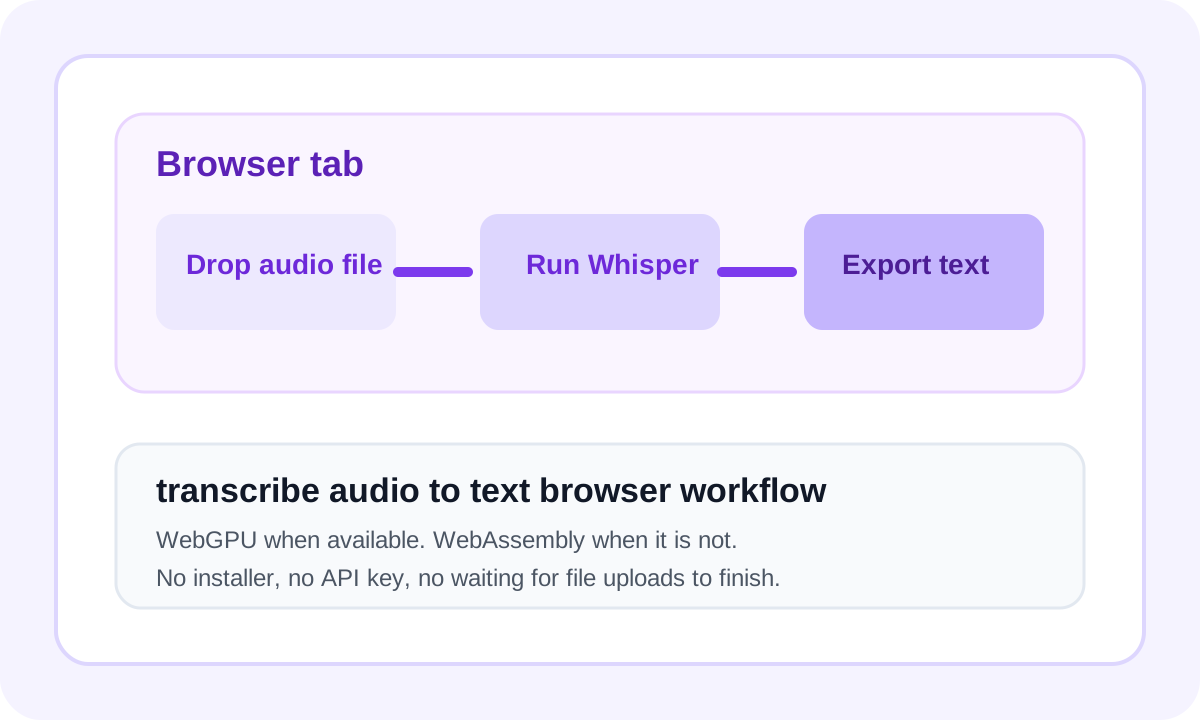
Browser-based audio transcription is a fundamentally different approach: the AI model itself is downloaded once to your browser cache, and all transcription computation happens inside your browser tab using WebAssembly or WebGPU. Your audio file never leaves your device. The result is instant, private, free transcription — with no app to install.
Key Difference
Cloud services send your audio to their servers. Browser transcription runs the AI model in your browser — the audio never moves.
Why Transcribe Audio to Text in the Browser?
Privacy: No Data Leaves Your Device
Every byte of your audio stays on your machine. Sensitive recordings — medical consultations, legal conversations, financial calls — are processed without exposure to any external party.
Speed: No Upload Wait Time
Cloud services require uploading your entire audio file before transcription starts. A 200 MB recording over a typical connection takes minutes to upload — browser transcription starts instantly.
Convenience: No Installation
No software to download, update, or maintain. Works on any operating system that has a modern browser — Windows, macOS, Linux, ChromeOS, even on Chromebooks.
Supported Audio Formats
Whisper Web accepts all major audio and video formats. Video files have their audio extracted automatically:
| Format | Extension | Notes |
|---|---|---|
| MP3 | .mp3 | Most common; podcasts, music, voice memos |
| WAV | .wav | Lossless; highest quality for transcription accuracy |
| M4A | .m4a | Apple devices, iPhone voice memos |
| MP4 | .mp4 | Video — audio extracted automatically |
| WebM | .webm | Google Meet, browser-recorded video |
| OGG | .ogg | Open format; used by some Linux tools |
| FLAC | .flac | Lossless compressed; audiophile quality |
Step-by-Step: Transcribe Audio to Text in Your Browser
Open Whisper Web
Navigate to whisperweb.app in Chrome, Edge, Firefox, or Safari. No account required — the tool loads immediately.
Drop Your Audio File
Click Upload Audio / Video or drag your file directly onto the tool. The first time you use the tool, the Whisper model (~77 MB) will be downloaded and cached in your browser. Subsequent uses are instantaneous.
Choose Language (or Auto-Detect)
Whisper automatically detects the spoken language with high accuracy across 99+ languages. You can also manually select the language for faster, more accurate results on a known language.
Click Transcribe & Wait
The browser processes your audio locally. Processing speed depends on your hardware and whether WebGPU is available. Typically: 1–5 minutes of audio → 15–60 seconds processing time on a modern laptop.
Export to TXT, SRT, or VTT
Your transcript appears in-browser. Copy to clipboard for immediate use, or download as TXT (plain text), SRT (subtitles with timestamps), or VTT (web captions for HTML5 video). All free.
Browser Transcription vs. Desktop Software
How does transcribing audio in the browser compare to dedicated desktop applications?
| Approach | Privacy | Speed | Cost | Installation |
|---|---|---|---|---|
| Browser transcription ⭐ | ✅ Local | Instant | Free | Not needed |
| Desktop software (e.g. Audacity) | ✅ Local | Instant | $0+ | Required |
| Cloud API (e.g. AssemblyAI) | ❌ Upload | Upload delay | Per-minute billing | Developer setup |
Browser transcription gives you desktop-level privacy at zero cost, with no installation required. The only trade-off is slightly slower throughput vs. a native GPU application for very long files.
Technical Deep Dive: How Browser Transcription Works
GPU WebGPU Acceleration
On supported browsers (Chrome 113+, Edge 113+), Whisper Web uses the WebGPU API to offload computation to your device's GPU. This delivers 3–5× faster transcription compared to CPU-only mode, making it viable for files up to 20+ minutes.
AI ONNX Runtime + Whisper Model
The Whisper model is exported to ONNX format and executed by the ONNX Runtime Web — a JavaScript library that runs optimized ML model inference in the browser. The model weights (~77 MB for the base model) are downloaded once and cached in your browser's cache storage.
WA WebAssembly Fallback
On browsers without WebGPU support (Firefox, older Safari), Whisper Web automatically falls back to WebAssembly (WASM) — a binary instruction format that runs at near-native CPU speed. This ensures broad browser compatibility without sacrificing functionality.
Frequently Asked Questions
Yes, for short audio clips. Mobile browsers support WebAssembly, so Whisper Web works on Android Chrome and iOS Safari (16.4+). However, mobile devices have less RAM and slower CPUs, so transcription of long files may be slow. For files longer than 5 minutes, a laptop or desktop gives a much better experience.
In local mode, Whisper Web accepts files up to 200 MB. For audio duration, segments up to approximately 20 minutes work best. For longer recordings, split them into shorter segments using a free tool like Audacity or ffmpeg before uploading.
Whisper Web works in Chrome 84+, Edge 84+, Firefox 79+, and Safari 14+. For the fastest transcription using WebGPU acceleration, Chrome or Edge on a desktop with a dedicated GPU is recommended. Firefox uses WebAssembly fallback which is slightly slower but fully functional.
Only the first model download needs network access. After the browser caches the model and assets, you can come back and transcribe audio to text in browser again without staying online.
On WebGPU-capable devices, browser transcription can feel surprisingly close to native apps. The main advantage is convenience: no installer, no API, and no waiting for uploads before work begins.
Related Transcription Tools
Transcribe Audio to Text in Your Browser — Now
No download. No upload. The AI model runs right here in your tab.
Try It Now →