Why Use Whisper for Meeting Transcription?
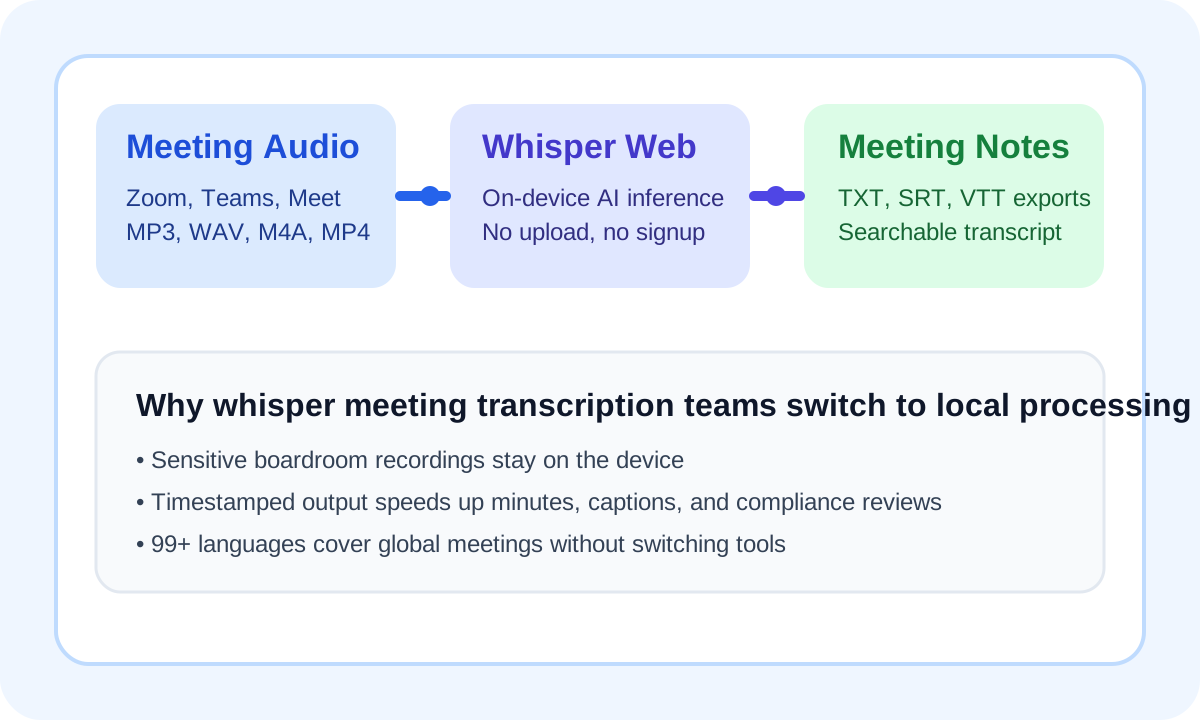
Traditional meeting transcription services require you to upload your audio to the cloud — handing over potentially sensitive boardroom conversations, client calls, and strategic discussions to a third-party server. Whisper meeting transcription via Whisper Web eliminates this risk entirely by processing everything locally inside your browser.
100% Private
Meeting content never leaves your device. No NDA, no compliance risk — your conversations stay yours.
99+ Languages
Handles international meetings with automatic language detection across 99+ languages and dialects.
Timestamped Export
Download your transcript as TXT for plain text, or SRT/VTT for time-coded segments — perfect for minutes.
Powered by OpenAI's Whisper model running in WebAssembly (and optionally WebGPU), Whisper Web achieves 98%+ transcription accuracy on clear meeting audio. Whether your meeting was recorded in English, Mandarin, Spanish, or any other supported language, the model auto-detects the language so you can start immediately without configuration.
How to Transcribe a Meeting with Whisper Web
Record Your Meeting
Use your platform's built-in recorder: Zoom's Record to Computer, Microsoft Teams' recording feature, or Google Meet's recording (available to Workspace users). Most platforms export as MP4 or M4A.
Open Whisper Web and Drop Your File
No account creation, no login. Open the tool below, click Upload Audio / Video, and select your meeting recording. Whisper Web accepts MP3, WAV, M4A, MP4, WebM, and more.
Get Your Transcript
The Whisper AI model processes your audio locally. In minutes (or seconds for shorter clips), you'll see a full transcript. Copy it, or export as TXT, SRT, or VTT for use in meeting notes, subtitles, or documentation.
Meeting Transcription Use Cases
Board Meetings & Shareholder Calls
Legal, compliance, and investor relations teams often deal with sensitive financial discussions. Uploading such recordings to a cloud transcription service creates unnecessary liability. Whisper meeting transcription runs entirely on your device, keeping all data behind your firewall.
Remote Team Standups
Turn your daily standup recording into searchable action items in seconds. Paste the transcript into your project management tool (Notion, Linear, Jira) to auto-generate task lists — no manual note-taking required.
Client Calls & Discovery Interviews
Sales teams and UX researchers can transcribe client calls without worrying about NDA violations. Since audio never leaves the browser, you can safely transcribe calls with Fortune 500 clients or under NDA-protected projects.
Lectures & Conference Sessions
Academic researchers and conference attendees can transcribe keynotes and panel discussions. The SRT export makes it easy to add captions to recorded talks for accessibility and SEO on video platforms.
Whisper Meeting Transcription vs. Other Tools
How does Whisper Web stack up against the most popular meeting transcription services?
| Tool | Price | Privacy | Languages | Export |
|---|---|---|---|---|
| Whisper Web ⭐ | Free | On-Device | 99+ | TXT/SRT/VTT |
| Otter.ai | $16.99/mo | Cloud | English | TXT/DOCX |
| Fireflies.ai | $10/mo | Cloud | 60+ | TXT/DOCX |
| Rev.com | $1.50/min | Human Review | English | TXT/DOCX |
Pricing as of 2025. Whisper Web is completely free with no usage limits on the local model.
Frequently Asked Questions
Yes. Whisper Web runs entirely inside your browser using WebAssembly. Your meeting audio never leaves your device and is never uploaded to any server. Even we cannot access it. You can verify this by turning off your internet connection after the page loads — the transcription still works.
Absolutely. Download your Zoom recording as MP4 or M4A, then drag it into Whisper Web. The tool automatically extracts the audio from the video file and processes it locally. The same works for Microsoft Teams, Google Meet, Webex, and any other platform.
Whisper Web transcribes all spoken content with timestamps. While automatic speaker diarization (labeling who said what) is not yet built in, the SRT/VTT export gives you timestamped segments that make it easy to identify speakers manually — especially combined with your knowledge of who was on the call.
The current local mode works best up to about 200 MB per file. If your meeting recording is much longer, split it into parts so whisper meeting transcription finishes faster and uses less browser memory.
Yes, but shorter clips are a better fit on phones. For long meetings, a desktop browser is still the best environment because it has more RAM and faster local processing for Whisper.
Related Transcription Tools
Start Transcribing Your Meetings Now
Free, private, and ready in seconds. No account, no upload.
Try It Now →